Gluesyncでは、バージョン2.1.4.0よりWindows環境においてもWSLを利用することなくGluesyncコンテナをデプロイ/起動しレプリケーションを実行することが可能となりました。

Linuxビルド、Windowsビルドによって提供される機能に違いはなく、社内ルール上Windows OSしか構成できない、Linuxの操作には不安があるといった場合でも、利用者のニーズに応じてコンテナランタイムが実行されるホストOSを選定可能です。
実際にクライムテスト環境のWindows Server Core 2022上で、WindowsネイティブビルドのGluesyncをテストしてみました。
Windows環境の事前準備
Windows Server 2022以降に対して、開発元ドキュメントに記載されている手順にてDocker Engineのインストール、Docker Composeの設定を行います。
Gluesyncトライアルキットについて
バージョン2.1.4より、Gluesyncトライアルキット内に「gluesync-docker-windows」というフォルダが追加され、このフォルダ内にWindowsネイティブビルド用の構成ファイルが用意されています。
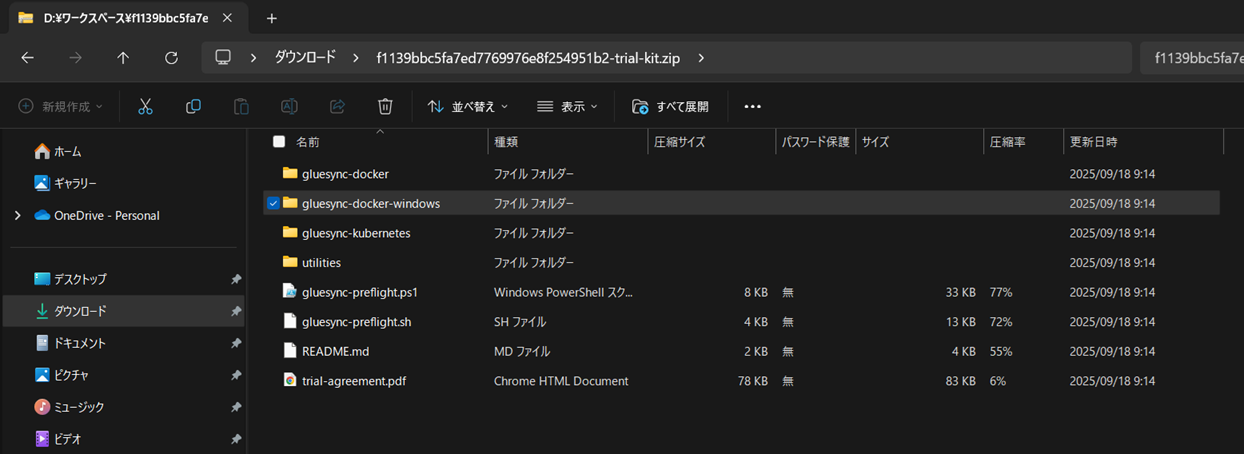
Docker構成が完了したWindowsへトライアルキットをコピーし、コマンドラインより「gluesync-docker-windows」フォルダへ移動します。
    ディレクトリ: C:\Users\Administrator\molo17


Mode                 LastWriteTime         Length Name
----                 -------------         ------ ----
d-----        2025/09/18      9:14                gluesync-docker
d-----        2025/09/18      9:14                gluesync-docker-windows
d-----        2025/09/18      9:14                gluesync-kubernetes
d-----        2025/09/18      9:14                utilities
-a----        2025/09/18      9:14          33525 gluesync-preflight.ps1
-a----        2025/09/18      9:14          12933 gluesync-preflight.sh
-a----        2025/09/18      9:14           3899 README.md
-a----        2025/09/18      9:14          84252 trial-agreement.pdf


PS C:\Users\Administrator\molo17> cd .\gluesync-docker-windows\
PS C:\Users\Administrator\molo17\gluesync-docker-windows> ls


    ディレクトリ: C:\Users\Administrator\molo17\gluesync-docker-windows


Mode                 LastWriteTime         Length Name
----                 -------------         ------ ----
d-----        2025/09/18      9:14                chronos-config
d-----        2025/09/18     18:57                chronos-data
d-----        2025/09/18     18:49                gluesync-core-hub
d-----        2025/09/26      0:00                gluesync-core-hub-logs
d-----        2025/09/18     18:49                gluesync-source
d-----        2025/09/26      0:00                gluesync-source-logs
d-----        2025/09/18     18:49                gluesync-target
d-----        2025/09/26      0:00                gluesync-target-logs
d-----        2025/09/17     10:38                grafana
d-----        2025/09/17     10:38                prometheus
d-----        2025/09/17     10:38                proxy
-a----        2025/09/18      9:14           7425 docker-compose.yml


PS C:\Users\Administrator\molo17\gluesync-docker-windows>
Gluesyncコンテナの取得
docker-compose pullコマンドを実行することで、トライアルキットに含まれるdocker-compose.ymlファイルで定義されたGluesyncコンテナのダウンロードが開始されます。
PS C:\Users\Administrator\molo17\gluesync-docker-windows> docker-compose pull
[+] Pulling 78/82
 ✔ grafana Pulled                                                                                                                            1.7s
 ✔ reverse-proxy Pulled                                                                                                                      1.7s
 ✔ gluesync-ibm-iseries-source Pulled                                                                                                      197.6s
 - gluesync-chronos [⣿⣿⣿⣿⣿⣿⣿⣿⣿⣿⣿⣿⣿⣿⣿⣿⣿⣿] 2.252GB / 2.252GB Pulling                                                                         313.6s
 ✔ portainer Pulled                                                                                                                          1.7s
 ✔ prometheus Pulled                                                                                                                         1.7s
 ✔ gluesync-core-hub Pulled                                                                                                                 50.5s
 - gluesync-mssql-ct-target [⣿⣿⣿⣿⣿⣿⣿⣿⣿⣿⣿⣿⣿⣀⣿⣿⣿⣿] 436.9MB / 479.8MB Pulling                                                                 313.6s
Gluesyncコンテナのダウンロードが正常に完了すると、すべてのステータスがPulled表記となります。
PS C:\Users\Administrator\molo17\gluesync-docker-windows> docker-compose pull
[+] Pulling 82/82
 ✔ grafana Pulled                                                                                                                            1.7s
 ✔ reverse-proxy Pulled                                                                                                                      1.7s
 ✔ gluesync-ibm-iseries-source Pulled                                                                                                      197.6s
 ✔ gluesync-chronos Pulled                                                                                                                 343.6s
 ✔ portainer Pulled                                                                                                                          1.7s
 ✔ prometheus Pulled                                                                                                                         1.7s
 ✔ gluesync-core-hub Pulled                                                                                                                 50.5s
 ✔ gluesync-mssql-ct-target Pulled                                                                                                         864.2s
Gluesyncコンテナの実行
ダウンロードが完了したら、docker-compose up -dと入力しGluesyncコンテナを起動します。
PS C:\Users\Administrator\molo17\gluesync-docker-windows> docker-compose up -d
[+] Running 9/9
 ✔ Network gluesync-windows_default                          Created                                                                         0.1s
 ✔ Container portainer                                       Started                                                                         4.2s
 ✔ Container gluesync-windows-grafana-1                      Started                                                                         4.1s
 ✔ Container gluesync-windows-reverse-proxy-1                Started                                                                         3.9s
 ✔ Container gluesync-windows-gluesync-core-hub-1            Started                                                                         4.9s
 ✔ Container gluesync-windows-gluesync-ibm-iseries-source-1  Started                                                                         7.0s
 ✔ Container gluesync-windows-prometheus-1                   Started                                                                         7.0s
 ✔ Container gluesync-windows-gluesync-chronos-1             Started                                                                         8.5s
 ✔ Container gluesync-windows-gluesync-mssql-ct-target-1     Started                                                                         8.0s
PS C:\Users\Administrator\molo17\gluesync-docker-windows>
docker-compose psコマンドより、各種プロセスが起動しているか確認可能です。
※タグ名や実行ファイル名よりWindows上で動作していることがわかります。
PS C:\Users\Administrator\molo17\gluesync-docker-windows> docker-compose ps
NAME                                             IMAGE                                                 COMMAND                     SERVICE                       CREATED          STATUS          PORTS
gluesync-windows-gluesync-chronos-1              molo17/gluesync-chronos:latest-windows                "entrypoint.bat"            gluesync-chronos              47 seconds ago   Up 39 seconds   1717/tcp
gluesync-windows-gluesync-core-hub-1             molo17/gluesync-core-hub:latest-windows               "C:\\Windows\\System32…"   gluesync-core-hub             48 seconds ago   Up 42 seconds
gluesync-windows-gluesync-ibm-iseries-source-1   molo17/gluesync-ibm-iseries:latest-windows            "C:\\Windows\\System32…"   gluesync-ibm-iseries-source   47 seconds ago   Up 40 seconds
gluesync-windows-gluesync-mssql-ct-target-1      molo17/gluesync-mssql-ct:latest-windows               "C:\\Windows\\System32…"   gluesync-mssql-ct-target      47 seconds ago   Up 39 seconds
gluesync-windows-grafana-1                       molo17/grafana:latest                                 "grafana-server.exe"        grafana                       48 seconds ago   Up 43 seconds   0.0.0.0:6001->3000/tcp
gluesync-windows-prometheus-1                    molo17/prometheus:latest                              "C:\\bin\\prometheus.e…"   prometheus                    47 seconds ago   Up 40 seconds   9090/tcp
gluesync-windows-reverse-proxy-1                 traefik:nanoserver-ltsc2022                           "/traefik --api.inse…"     reverse-proxy                 48 seconds ago   Up 43 seconds   0.0.0.0:80->80/tcp, 0.0.0.0:443->443/tcp
portainer                                        portainer/portainer-ce:2.33.0-windowsltsc2022-amd64   "/portainer.exe --ad…"     portainer                     48 seconds ago   Up 43 seconds   0.0.0.0:8000->8000/tcp, 0.0.0.0:9443->9443/tcp, 9000/tcp
PS C:\Users\Administrator\molo17\gluesync-docker-windows>
以降の操作は、Linuxビルドと同様にWeb GUIへアクセスし、レプリケーション対象DBと接続を行います。
※LinuxビルドとWindowsビルドによって、Web GUI上の操作が異なることはございません。
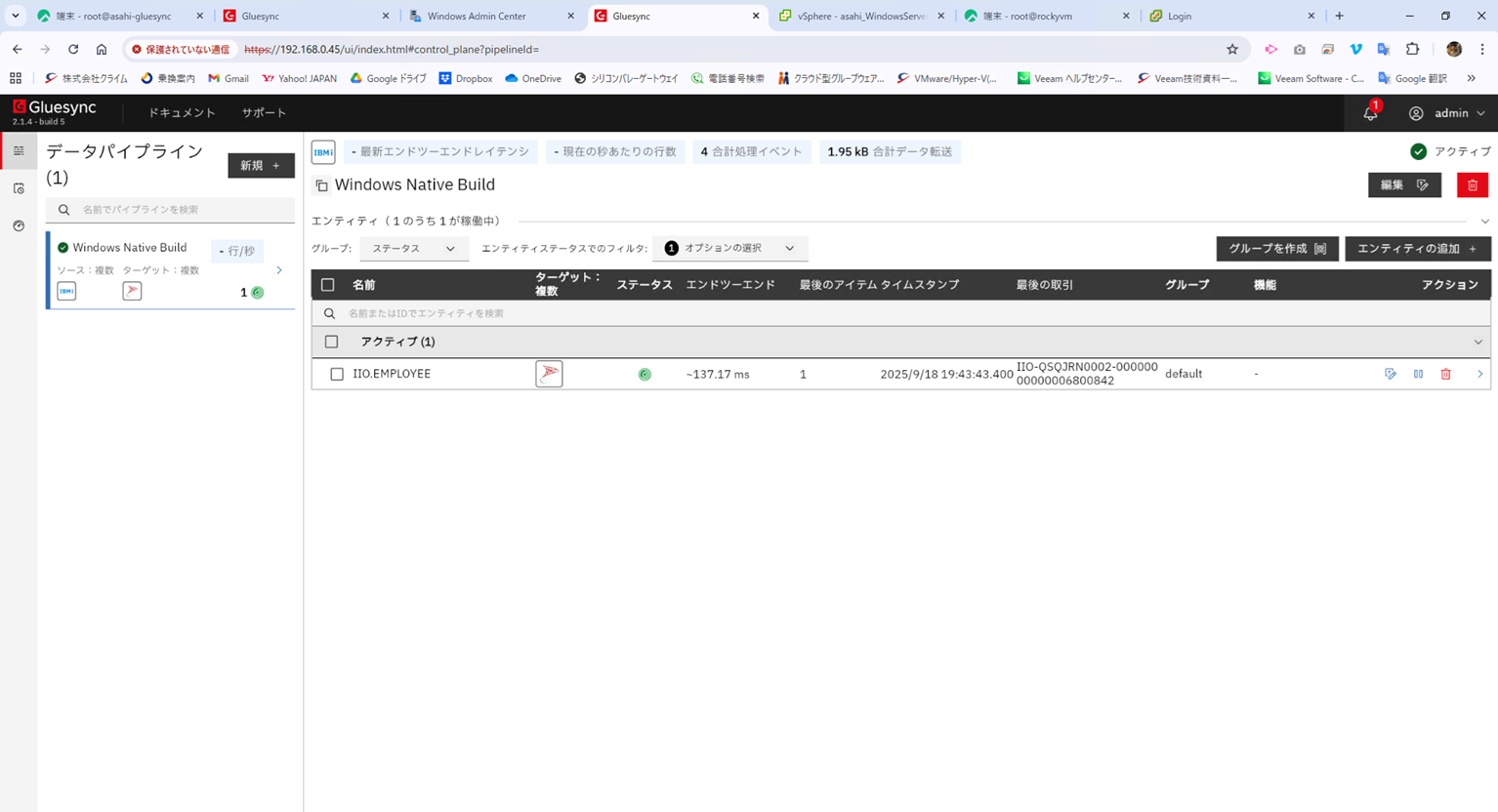
このように、WindowsにおいてもGluesyncコンテナ実行が正式にサポートされましたので、これまでLinux環境での利用に抵抗があったユーザ様にも安心してお使いいただけるものとなります。
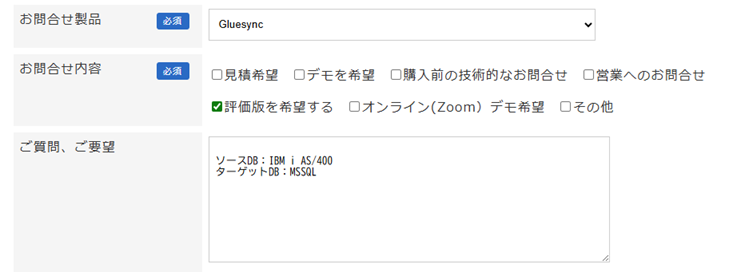
Gluesync評価ご希望の場合は、弊社お問い合わせフォームよりご連絡ください。
この時「ご質問、ご要望」欄にてレプリケーションしたいDB構成をご記入いただくと、スムーズにご案内が可能です。

 RSSフィードを取得する