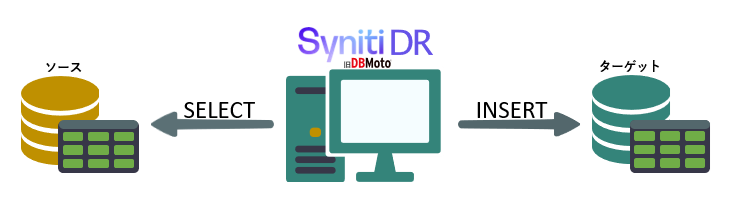
Syniti DR 9.8で追加されたリフレッシュ処理のパーティション機能を使用すると、リフレッシュ(全件転送)時の分割処理を構成でき、複数の並列スレッドがデータを処理するため、パフォーマンスを向上できます。
続きを読む


-
メールマガジン登録
- 海外”クラウドコンピューティング”最新技術などを中心に、注目のコンテンツをご紹介
バックナンバー [climbクラウド・ナウ]
- 海外”クラウドコンピューティング”最新技術などを中心に、注目のコンテンツをご紹介
- セミナー7月16日(木)満員御礼 【オンライン】Veeamハンズオンセミナー 基本編
- Web7月21日(火) クローズドな環境でも楽々構成!異種RDBMS/NoSQLのリアルタイム連携『Gluesync』を徹底解説
- セミナー情報一覧
- イベント7月23日(木)~24日(金) 【仙台】地域×Tech 東北に出展します
- イベント8月20日(木)~21日(金) 【東京】IT・情シスDXPO 東京'26に出展します
- イベント情報一覧
-
新着情報
- Gluesyncのバックアップとリスト:データ統合プラットフォームの保護へ
- Gluesyncの評価手順(Windows版:2026/6/23現在)
- Gluesync 2.2.7における OIDC(OpenID Connect)連携が、企業のデータセキュリティにおいて画期的な変化をもたらす理由
- Gluesync 2.2.8:スマートアラート機能、再構築されたOTAアップデート、および充実したテクニカル・メタデータ
- 有能なDBAのためのデータベースストレージ最適化
- IBM i (AS400) のリアルタイムデータレプリケーション:GluesyncがネイティブCDC APIに対応
- Gluesync 2.2.7:OIDCおよびRBACによる高度なエンタープライズセキュリティ、UIおよびトークン管理機能の強化
- Amazon RedShift ターゲットエージェント:Gluesync による高性能クラウドデータウェアハウスへ
- Gluesync用SAP HANAエージェント:SAP環境向けリアルタイムCDC
- Gluesync 2.2.6:SAP HANAをソース、Amazon Redshiftをターゲットとした書き込みパフォーマンスを最適化
製品・カテゴリーで絞る
- MOLO17 (58)
- GlueSync (56)
- Syniti (旧DBMoto) (381)
- 運用 (16)
- Knowledge Base (16)
- リリースノート (32)
- データベース (131)
- SAP HANA (7)
- Oracle (23)
- SQL Server (24)
- Database Performance Analyzer (旧Ignite) (79)
- Entrust(旧Hytrust) (1)
- 導入ユーザ事例 (9)
- 動画集 (5)
- MOLO17 (58)
関連リンク
- Database Performance Analyzer データベースのレスポンス分析ツール(旧Ignite)
- DB2対応ODBC, OLEDB, .NET, JDBCドライバ/プロバイダ
- GlueSync NoSQL⇔RDBMS⇔RDBMS 同期ツール
- Synity Data Replication [旧DBMoto] マルチDB対応リアルタイムレプリケーション SQL Server、Oracleなど他種DB間のレプリケーション
- Webセミナー録画集 過去にオンライン配信したWEBセミナーの録画一覧
- サイトマップ
- 総合FAQサイト
タグ・トップ40
ボトルネック (8)DPM (6)データ連携 (5)db (5)Google (4)BigQuery (4)Snowflake (4)パフォーマンス監視 (3)データレイク (2)Confluent (2)ディザスタリカバリ (2)AWS RDS (2)待ち時間 (2)Heroku Postgres (2)Heroku (2)Azure Synapse Analytics (1)Oracle ビュー (1)Oracle View (1)ハイブリッドクラウド (1)クエリログアナライザ (1)Database Performance Monitor (1)Azure Database for PostgreSQL (1)災害対策 (1)Wait Time分析 (1)Oracle EE (1)Oracle RMAN (1)Veeam Agent (1)レスポンスタイム分析 (1)syniti dr (1)IBMi (1)初期リフレッシュ (1)Initial Refresh (1)Refresh (1)リフレッシュ (1)効率化 (1)OSS DB (1)エラー (1)データ活用 (1)Meow (1)Google BigQuery (1)

 RSSフィードを取得する
クライム主催セミナー
出展・参加イベント