
このサンプルプログラムは、EspressChartで作成したチャートをそのまま web 上に展開するための最もシンプルなプログラムです。
●配置ライブラリ
以下のライブラリをwebアプリケーションサーバに配置する必要があります。
・EspressAPI.jar
・ExportLib.jar
・qblicense.jar
●表示イメージ
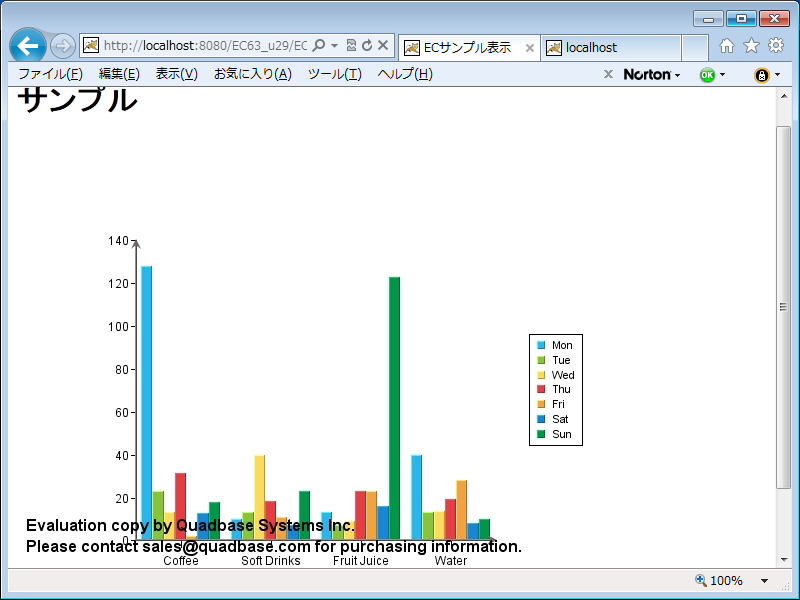
●サンプルプログラム
チャートオブジェクトを生成してそのまま画像に出力している最もシンプルな例です。生成したオブジェクトに対して、プログラムからチャートを細かく制御することも可能です。
————————————————–
package sample;
import quadbase.ChartAPI.*;
import java.applet.Applet;
import java.io.*;
import javax.servlet.*;
import javax.servlet.http.*;
public class Sample extends HttpServlet {
public void doGet(HttpServletRequest req, HttpServletResponse res)
throws ServletException, IOException {
// コンテンツタイプ設定
res.setContentType(“image/html”);
OutputStream toClient = res.getOutputStream();
try {
// バージョンチェック
System.out.println(QbChart.getVersion());
// EspressManager
QbChart.setEspressManagerUsed(false);
// チャートファイルのパス
String chartLocation = “EC/tpl/ECsample.tpl”;
// チャートオブジェクトの作成
QbChart chart = new QbChart((Applet) null, chartLocation);
// エクスポート
chart.export(QbChart.JPEG, toClient);
toClient.close();
} catch (Exception e) {
e.printStackTrace();
}
}
}
————————————————–

 RSSフィードを取得する

ピンバック: チャートAPI、レポートAPIを使用してJavaから動的にグラフや帳票をカスタマイズ | チャート・帳票(レポート)・ダッシュボードソリューション テクニカルブログ